Have you been offered admission for the 2018/2019 academic session? If yes, you need to proceed to JAMB CAPS portal to indicate the ACCEPTANCE or REJECTION of your admission offer to enable the processing of your admission. The portal is meant for both UTME and Direct Entry candidates.

JAMB COMPUTER BASED TEST
Welcome Guest • Don't have an account? Register • Forgot password? • News feeds • Forum feeds • Start a discussion • Test yourself here • All Latest News
Advertisements
How To ACCEPT Or REJECT 2018/2019 Admission Offer On JAMB CAPS Portal For Free
Jan, 11Views: 3654
Practice unlimited JAMB UTME CBT Past Questions for FREE
Score high mark this JAMB UTME 2026/2027.
Click here.
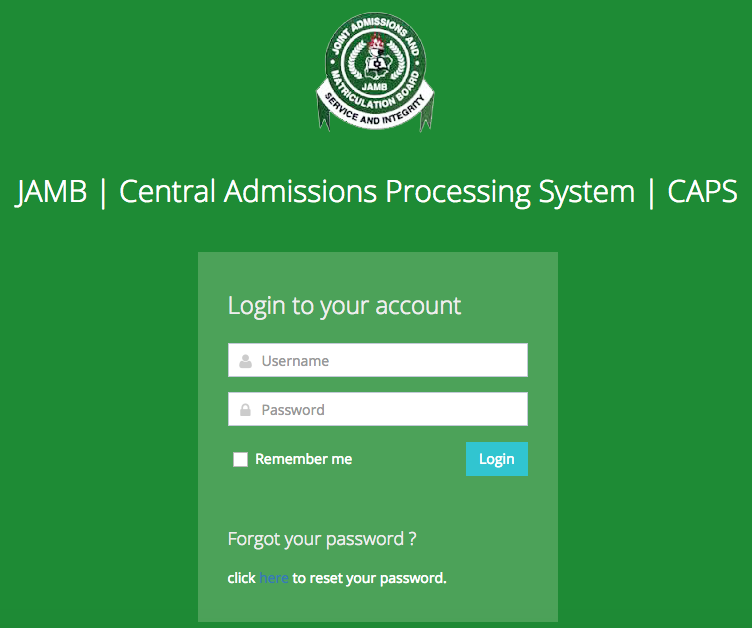
The management of the Joint Admission and Matriculation Board (JAMB) has activated the Central Admission Processing System (CAPS) portal where UTME and Direct Entry candidates can accept or reject their admission offer.
As part of JAMB new admission policy, all admission would be done online through the Central Admissions Processing System (CAPS), consequently, all candidates seeking admission into Universities, Polytechnics, Colleges of Education and Other tertiary institutions in Nigeria for the 2018/2019 Academic Session are advised to visit the JAMB CAPS portal to check their admission status and also indicate the acceptance or rejection of their admission.
Some institutions may not publish the list of candidates admitted into their various programmes on their own portal or notice board. So, admission seekers are advised to continually check JAMB CAPS to track their admission status.
PLEASE NOTE : Once you accept the admission, your admission quest is over as you will no longer be available for other schools’ admission consideration. On the other hand, if you reject the admission, you become available to other schools who have free admission slots for admission consideration.
What is JAMB CAPS?
The Joint Admission and Matriculation Board (JAMB) Central Admission Processing System (CAPS) is a platform created to ensuring quality control, transparency and credibility of the admission process.
The Central Admission Processing System (CAPS) is expected to make provision for a ‘market place’ in the JAMB portal where institutions can go and ‘request for students in Nigeria who score their cut off points.’
The system is such that institutions can only admit those who meet their cut off points. If a candidate fails to meet the cut off mark, that student would certainly be denied admission irrespective of the candidate’s connection.
How to ACCEPT or REJECT Admission on JAMB CAPS Using PC:
- Go to JAMB E-facility portal at http://www.jamb.org.ng/efacility/.
- Supply your Email Address and Password in the required columns and then login.
- Then locate and click on ‘Check 2018 UTME/DE Admission Status on CAPS‘.
- Select ‘Admission Status‘ on the left panel.
- Locate and click on the ‘Search‘ button in front of your JAMB Registration Number to load your profile.
- You can now accept/reject your admission offer under ‘Admission Profile’.
How to ACCEPT or REJECT Admission on JAMB CAPS Using Mobile Device:
Note: If you are using a phone, you may not see the option to check your Admission Status on CAPS. Most phone users may only see the welcome message. The caps page shows only welcome because it requires you to use desktop mode to view the complete page. This is why the chrome browser is recommended if you are a using a phone. All you need to do is go to Chrome option and choose request desktop site for the complete page to display as explained below:
- Go to http://www.jamb.org.ng/efacility/.
- Login with your registered Email and Password.
- Locate and click on ‘Check 2018 UTME/DE Admission Status on CAPS‘
- Select ‘Admission Status‘ on the left panel.
- Locate and click on the ‘Search‘ button in front of your JAMB Registration Number to load your profile.
-
You can now accept/reject your admission offer under ‘Admission Profile’. NB: Acceptance/rejection of admission offer is free!
Information for those who are yet to be admitted.
- Candidates who have not been offered admission should closely monitor their admission through JAMB CAPS.
- Candidates who used “awaiting result” during their registration are to upload their O’Level result on JAMB portal so that their institution of choice will be able to process their admission. .
Have you been admitted? Share you success story in the comments section below.
Practice unlimited JAMB UTME 2026/2027 CBT Past Questions for FREE
Score 260 and above in JAMB UTME 2026/2027, Download the Offline Software or Practice FREE online and beat other peoples score. The more you practice, the more your chances.
Use the JAMB interactive forum to discuss topics of interest.
You can find all the JAMB UTME 2026/2027 topics in the JAMB UTME 2026/2027 Syllabus or JAMB UTME 2026/2027 Brochure
Want to make some money by selling JAMB CBT Software? Contact us
Advertisements
Advertisements
Leave your thoughts
Don't have an account? Register
See also
Comments (0)
Advertisements
Results
Get the highest score
diamond111
Average Score: 8
Average time spent: 25.52 mins
Average time spent: 25.52 mins
diamond111
Average Score: 25
Average time spent: 43.98 mins
Average time spent: 43.98 mins
Nitor1
Average Score: 3.67
Average time spent: 6.7 mins
Average time spent: 6.7 mins
okofishe
Average Score: 0
Average time spent: 0.05 mins
Average time spent: 0.05 mins
kolexy001
Average Score: 24.25
Average time spent: 21.98 mins
Average time spent: 21.98 mins
kolexy001
Average Score: 21.75
Average time spent: 33.53 mins
Average time spent: 33.53 mins
kolexy001
Average Score: 13.25
Average time spent: 84.27 mins
Average time spent: 84.27 mins
RayOptimnus
Average Score: 0
Average time spent: 0.08 mins
Average time spent: 0.08 mins
cornelius1
Average Score: 12
Average time spent: 23.68 mins
Average time spent: 23.68 mins
cornelius1
Average Score: 27.5
Average time spent: 36.72 mins
Average time spent: 36.72 mins
cornelius1
Average Score: 18.5
Average time spent: 33.78 mins
Average time spent: 33.78 mins
LUDO
Average Score: 1
Average time spent: 16.82 mins
Average time spent: 16.82 mins
eerhi
Average Score: 8.25
Average time spent: 26.95 mins
Average time spent: 26.95 mins
eerhi
Average Score: 0.75
Average time spent: 0.83 mins
Average time spent: 0.83 mins
shaibuemmmanuel87
Average Score: 9.5
Average time spent: 45.38 mins
Average time spent: 45.38 mins
onoja12041996com
Average Score: 2.67
Average time spent: 9.12 mins
Average time spent: 9.12 mins
onoja12041996com
Average Score: 0.33
Average time spent: 1.37 mins
Average time spent: 1.37 mins
onoja12041996com
Average Score: 0.67
Average time spent: 1.6 mins
Average time spent: 1.6 mins
onoja12041996com
Average Score: 0.67
Average time spent: 2.9 mins
Average time spent: 2.9 mins
diamond111
Average Score: 17.5
Average time spent: 21.07 mins
Take up a challenge
Average time spent: 21.07 mins
Hottest Gists
2017/2018 FREE CBT PRACTICE [HOT]
A Summary of JAMB Text: The Last Days at Forcados High School
Jamb 2016: Possible Questions From The Last Days at Forcados
2016 JAMB UTME EXPO, RUNS [HOT]
JAMB UTME 2016 EXAMINATION TO BEGIN FEBRUARY 29TH - OFFICIAL
JAMB 2016 Information Centre - All you require for a successful UTME
Free JAMB past questions are available here for download!
JAMB UTME 2016 Frequently Asked Questions And Answers
JAMB SUBJECTS COMBINATION FOR SCIENCE STUDENTS
JAMB SUBJECTS COMBINATION FOR ARTS, COMMERCIAL, SOCIAL SCIENCES STUDENTS
jamb utme 2016-2018 syllabus online [all subjects]
Novel to Read for 2016 JAMB UTME General Paper
JAMB UTME 2016 Registration Statistics - Number of Candidates for each Schools
jamb utme history, structure and eligibility for the exam
how to check jamb utme 2015/2016 admission status
list of 2016/2017 jamb utme accredited registration centers and their phone numbers in the 36 states
JAMB UTME TO COMMENCE 2016/2017 SALES OF FORM AUGUST 31 - SEE PROCEDURES AND DEADLINES.
CALCULATE YOUR JAMB AND POST-UTME AGGREGATE SCORE HERE - ALL SCHOOLS
Take a comprehensive exam for FREE
Download the practice exam kit for FREE (android)
Advertisements
News
ABU: INAUGURAL LECTURE ON FEED...
Ahmadu Bello University, Zaria, is set to host its Inaugural Lecture Series No. 04/26.
The lecture,...
NSUK WARNS OF FAKE VC SOCIAL M...
The Management of Nasarawa State University, Keffi, has been made aware of certain individuals opera...
FUTA: SOUTH GATE CLOSURE RESCH...
University Community Notice:
The temporary closure of the University South Gate Access Road has bee...
AMINU SALEH COLLEGE: NCE/DE AD...
The Aminu Saleh College of Education, Azare, is set to conduct its admission screening exercise for ...
GBOKO POLYTECHNIC: FULL-TIME &...
Gboko Polytechnic, located in Benue State, has commenced the admission process for the 2026/2027 aca...
Forum Post
ACTIVATION
I erased the data on my phone and as a result of this, I lost my activation code.
Is there any way ...
HOW TO GET OVER 300 IN JAMB
Are you feeling the pressure of your upcoming JAMB exam? Don't worry – we've got your back! Introd...
OFFLINE JAMB CBT APP SOFTWARE FOR UTME FOR PC DE...
WHY YOU SHOULD CHOOSE EXAMSCHOLARS JAMB CBT APP | UTME PRACTICE SOFTWARE
The Exam Scholars JAMB UTME...
STUDYING ABROAD WITH PARTIAL SCHOLARSHIP HELPS
If a school was to give an average student whose financial situation is poor a partial scholarship w...
MISTAKEN PROFILE REGISTRATION
Someone mistakenly registered with another's name, local govt,email, phone no , what can be done please
Facebook Page
Advertisements
© - JAMB computer based test 2012-2026 » p-initiative
» Privacy Policy
» Disclaimer
» Report a bug
» Nav Sitemap
» Forum Sitemap
» News Sitemap